How to Check Your PM Kisan Status and Payment
Published: November 12, 2026
Source: pmkisan.gov.in — official guidance
Check whether your PM Kisan instalments have been paid and what is pending, straight from the official portal.
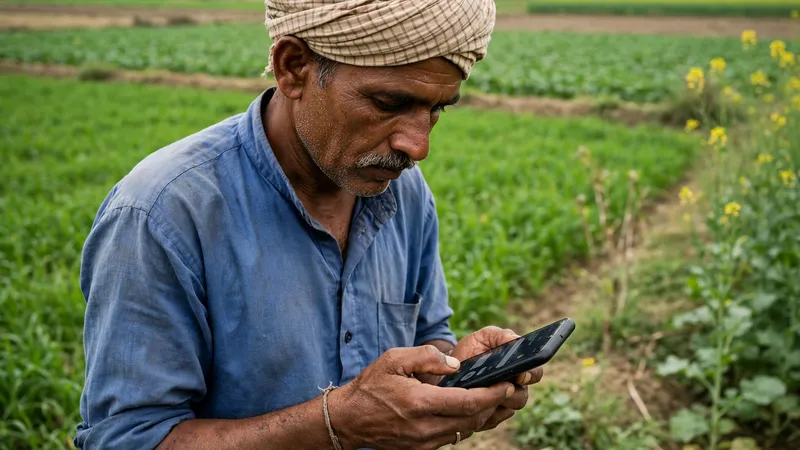
Before you start
- Keep your PM Kisan registration number handy — you will need it at the first step. If you do not remember it, keep your Aadhaar number ready so you can look the registration number up on the portal.
- Keep the mobile phone whose number is registered with PM Kisan switched on and in network — the portal sends an OTP to it during the check.
- Know this first: the status check itself is free and needs no visit anywhere. You only need to visit an office later if the status shows something pending, such as eKYC or land seeding.
Open the official PM Kisan portal
Open your browser and type pmkisan.gov.in yourself — do not follow a link from a message, because fake sites copy the portal's look. On the home page, look for the Farmers Corner section. Inside it you will find the option called Know Your Status, which is the official place to check your registration and payment position.
If the menu names look a little different from what you expected, do not worry — the portal updates its layout from time to time. Look for the status option inside Farmers Corner, or use the portal's help section. The important thing is that you are on the real pmkisan.gov.in address, which you can check in your browser's address bar.
Enter your registration number and the OTP
On the Know Your Status page, enter your PM Kisan registration number — the number you received when you registered. If you have forgotten it, use the "Know Your Registration Number" option on the same portal: it asks for your Aadhaar number and your registered mobile number, then shows the registration number after OTP verification.
Enter the OTP that arrives on your registered mobile number and submit. Keep your phone nearby before you start, because the OTP is needed to open your status. If no OTP arrives, wait a little and try again, and check that the phone has network — the number must be the one registered with PM Kisan.
Read your status line by line
Your status page will show your registration details, your eKYC position, whether your bank account is seeded with Aadhaar, whether your land records are seeded, and your instalment history — which instalments were paid, the date each was credited, and the bank it went to. Read every line slowly instead of only looking at the last instalment.
Each line also tells you what is still pending. For example, if eKYC shows as incomplete, that alone can hold your payments. Note down exactly which items show as pending, because the next step is to fix only those items. Once the money shows as credited, you can check your bank balance on your phone to confirm it reached your account.
Fix what is pending and check again later
If something shows as pending, fix that one item. Complete eKYC on the portal or at a Common Service Centre, visit your bank if your account is not seeded with Aadhaar, and contact your local revenue office if your land records are not seeded. Each of these is a separate fix, so do the one your status page actually names.
After fixing it, do not expect the status to change the same day — updates take a few days to appear on the portal, so check again after some time. If the status still looks wrong after that, use the helpdesk query form on the portal, the Kisan eMitra chatbot, or call the official helpline 155261 for help. Keep your registration number ready when you ask for help.
Tips
- Save your registration number in your phone's notes or on a paper at home — you will need it every time you check your status, and looking it up each time wastes effort.
- Check your status once after every instalment release instead of every day. The portal updates in batches, so daily checking will mostly show the same page.
- If your village has a Common Service Centre, the operator there can help you open the portal and complete eKYC — but never hand over your OTP or bank PIN to anyone, even at a centre.
Keep in mind
- Only use the official portal pmkisan.gov.in or the official PM Kisan app. Type the address yourself — never open links sent by message, and never pay any website or agent for a status check.
- Never share your OTP, bank PIN or card details with anyone. No real PM Kisan official asks for them on a call or message.
- A status line that says pending does not mean your money is lost. It means one check — eKYC, Aadhaar seeding or land seeding — is still incomplete. Fix that one item and check again after a few days.
- Payment dates and amounts can change with each release, so do not trust a date or amount told by an agent or a forwarded message. The status page on the official portal is the only place to confirm what was paid and when.
FAQs
My instalment has not come. What is usually the reason?
The most common reasons are pending eKYC, your bank account not being seeded with Aadhaar, or your land records not being seeded on the portal. Open your status and read the exact note against each item — it tells you which one is pending. Complete eKYC on the portal or at a CSC, visit your bank for Aadhaar seeding, and contact your local revenue office for land seeding. Check again after a few days, because updates take time to appear.
I forgot my PM Kisan registration number. How do I find it?
Use the "Know Your Registration Number" option on the PM Kisan portal. It asks for your Aadhaar number and the mobile number linked to it, then shows your registration number after OTP verification. Note it down somewhere safe — you will need it every time you check your status.
Can I see which instalments I have already received?
Yes. The status page shows your instalment history, including which instalments were paid and the date each one was credited. If a line shows a payment as failed, read the reason shown next to it — it is usually a bank account problem, and your bank can tell you what to correct.
Someone called me asking for an OTP to release my instalment. Should I share it?
No. Never share an OTP, bank PIN or card details with anyone who calls or messages saying your instalment is stuck. The real portal never asks for these to show your status. If someone pressures you, end the call and check your status yourself on pmkisan.gov.in, or call the official helpline 155261 for help.