How to Return a Product on Amazon and Get a Full Refund
Published: November 12, 2026
Source: images-na.ssl-images-amazon.com — official guidance
Bought something on Amazon that arrived damaged, wrong, or just not right for you? Here is how to send it back and get your money back, step by step.
Before you start
- Log in to the same Amazon account you used to place the order — returns can only be started from that account.
- Keep the product, its original box, tags, and all accessories together before you start, so packing is quick later.
- Check the order page first: if you do not see a return option, the item may be non-returnable or its return window may be over.
Check if your order can be returned
Open the Amazon app or website and log in to the account you used for the order. Go to Your Orders — on the app it is in the menu, on the website it is under Account & Lists. Find the order with the product you want to return and open it.
Look for the Return or Replace Items button next to the product. If you see it, the item is still inside its return window. If the button is missing, the item may be non-returnable or the window may be over — check the product page, which states whether that item can be returned. Some products, like opened consumables and personal care items, cannot be returned at all, and some electronics are replacement-only.
Start the return and pick the right reason
Tap Return or Replace Items and select the product. Amazon will ask you to pick a reason from a list — for example, damaged, defective, wrong item delivered, or no longer needed. Pick the reason that matches your situation honestly, because it decides whether return shipping is covered and whether you are offered a refund or a replacement.
For a damaged or defective item, Amazon may ask for a photo or a few details about the problem. Fill these in clearly — a clear photo of the damage helps your request get approved without back-and-forth. If the order was fulfilled by a third-party seller, you may see a Contact Seller option instead; use it and follow the seller's instructions.
Choose refund and pickup or drop-off
Next, choose how you want the issue resolved. If a refund is offered, select it and pick where it should go — usually back to your original payment method or as Amazon Pay balance. If only a replacement is offered for your product, you can accept the replacement or contact support to discuss it.
Then pick how the product goes back: a courier pickup from your address at a time slot you choose, or a drop-off at a nearby point. Amazon will show you the pickup details and, where needed, a return label to print or show. Note the date and keep the instructions handy — you will need them when the courier arrives.
Pack it safely and track the refund
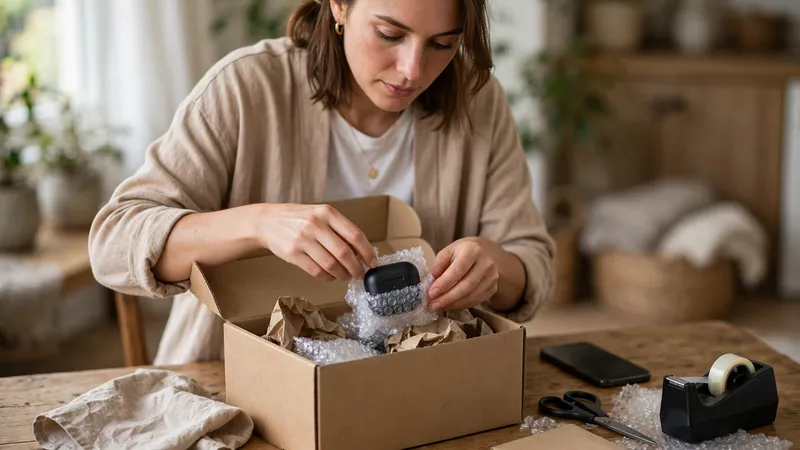
Pack the product in its original box with all tags, accessories, and free items that came with it. If the original box is damaged, use a sturdy box and seal it well so nothing breaks on the way back. Hand it to the courier at the pickup time, or drop it off and keep the receipt they give you.
You can track the return in Your Orders, under the same order. The refund process starts after Amazon receives and checks the returned item. Once the refund is processed, check your bank balance on your phone to confirm the money is back. If the refund seems stuck, check the return status in the app first, then contact Amazon support from the Help section with your order number ready.
Tips
- Take a photo of the product and the packed box before handing it over — it is useful proof if anything goes wrong in transit.
- Keep the pickup receipt or drop-off acknowledgement until the refund shows in your account.
- For seller-fulfilled orders, keep all messages with the seller inside Amazon instead of moving to calls or other apps.
Keep in mind
- The return window is different for different products and sellers — always check the window shown on your own order instead of assuming one.
- Items returned used, damaged by you, or missing tags and accessories may get only a partial refund or be refused, so keep everything as it arrived.
- Never share an OTP, UPI PIN, or bank details with anyone who calls or messages about your return. Amazon never asks for these to process a refund.
- Refund timing depends on your payment method and bank. Do not trust a caller who promises an instant refund if you share a code or pay a fee first.
FAQs
What if I do not see a return option on my order?
The return button only shows when the item is still inside its return window and the product is returnable. If it is missing, the window may be over, or the product may belong to a non-returnable category. You can still contact Amazon support from the Help section and explain the problem — for a damaged or wrong item, support can often help even when the button is gone.
What if the seller does not respond to my return request?
For orders fulfilled by a third-party seller, you raise the return through the Contact Seller option on the order page, and the seller replies with return instructions. If the seller does not reply or the issue is not sorted, you can raise an A-to-z Guarantee claim with Amazon from the same order page, and Amazon will look into it.
Which account will my refund go to?
Amazon usually refunds to the original payment method you used. For pay-on-delivery orders, the refund goes to your bank account or as Amazon Pay balance, as shown on the refund screen. The refund starts only after Amazon receives and checks the returned item, and the time it takes to show up depends on your bank or payment method — check the app if it seems slow.
Can I return a gift someone sent me?
Use the Gift Returns option on the Amazon website or app. You will need the order details from the gift. The refund normally goes to the person who received the gift, not to the person who bought it, so the giver does not need to know about the return.
Sources
- https://images-na.ssl-images-amazon.com/images/G/31/rainier/help/Amazon_Returns_and_Refunds_Policy_Seller_fulfilled_orders.pdf
- https://www.gadgets360.com/how-to/features/how-to-return-item-on-amazon-india-step-by-step-guide-with-pickup-and-refund-9715833
- https://www.ordersandreturns.com/amazon-return-policy-india