How to Apply for a Tatkal Ticket
Published: November 12, 2026
Source: contents.irctc.co.in — official guidance
Tatkal is the last-minute train booking option for urgent travel — here is how to book it on IRCTC without missing the opening window.
Before you start
- Make sure your IRCTC account is Aadhaar-authenticated well before the travel day — online Tatkal booking is only for Aadhaar-authenticated users.
- Keep the full name, age and gender of every passenger ready, along with the ID details the app asks for.
- Keep your payment method ready and logged in, and keep the phone with your Aadhaar-linked mobile number nearby for OTPs.
Get your IRCTC account Aadhaar-authenticated first
Online Tatkal and Premium Tatkal tickets on the IRCTC website and app can be booked only by Aadhaar-authenticated users, under the railway rules in force. Open the IRCTC Rail Connect app or website, log in, and go to the Authenticate User option under My Account.
Choose Aadhaar as the authentication type and enter the details exactly as they appear on your Aadhaar. An OTP will be sent to the mobile number linked with your Aadhaar — enter it to complete the authentication. Do this days before your travel date, not on the booking morning, because a mismatch in your details can take time to fix.
Be ready before the Tatkal window opens
Tatkal booking opens a day before the train leaves from its starting station, and the opening time is different for air-conditioned and non-air-conditioned classes. Check the current opening time for your class on the IRCTC app or official website before the day, and log in a little early so you are already inside your account when the window opens.
Keep your journey details and passenger details written down on paper or in your phone notes, so you can copy them quickly instead of thinking them up under pressure. Keep your payment method ready too, and use a stable internet connection. Do not depend on an agent in the opening minutes — authorised agents are restricted from booking in the opening minutes of Tatkal, under the railway rules.
Search with the Tatkal quota selected
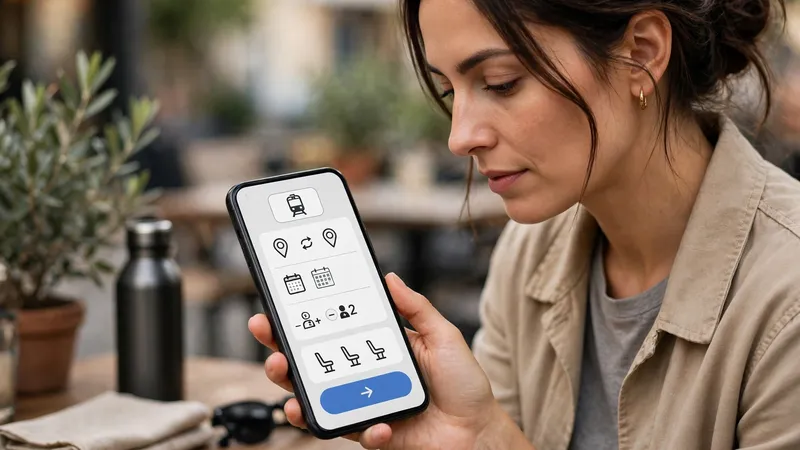
Once you are logged in, enter your starting station, destination, date of travel and class, and select Tatkal as the quota — not General. Then tap Search or Find Trains. The results will show Tatkal availability for the trains on that route.
Tatkal seats go very fast, so decide your first and second choice of train before the window opens. Pick the first suitable train and class that shows confirmed availability, and tap Book Now at once. Do not spend the opening minutes comparing many trains, or the seats may be gone by the time you decide.
Add passengers and pay at once
Enter each passenger's name, age and gender, and the ID details the app asks for, exactly as they appear on the ID. Check the spelling of every name and the journey details on the review screen, because a Tatkal ticket cannot be changed easily after booking.
Pay immediately with the payment method you kept ready, and do not refresh the page or go back while the payment is processing. After payment, check your bank balance on your phone to confirm the payment went through, and keep the message as proof. Your e-ticket will arrive by SMS and email — check the PNR, train, date and passenger names, and carry an original photo ID for the journey.
Tips
- Practise a normal IRCTC booking once before you ever try Tatkal, so the screens and the payment step feel familiar on the fast morning.
- Keep a second train or a second date in mind before the window opens, so a full train does not leave you with no plan at all.
- Book from a place with good network and a charged phone, and keep the app updated to the latest version before the booking day.
Keep in mind
- A Tatkal ticket costs more than a general ticket, because an extra Tatkal charge applies on top of the normal fare. Check the fare shown on the IRCTC app before you pay.
- A confirmed Tatkal ticket usually gets no refund on cancellation, so book only when your travel plan is firm — check the current refund rules on IRCTC before you book.
- Tatkal is not available on every train, route or class, so check whether your train offers it before the booking day.
- Never share your Aadhaar OTP, IRCTC password or payment OTP with anyone. Book only on the official IRCTC website or the official IRCTC Rail Connect app.
FAQs
Can I book a Tatkal ticket without Aadhaar authentication?
No, not online. Tatkal and Premium Tatkal tickets on the IRCTC website and app can be booked only by Aadhaar-authenticated users. Complete the Aadhaar authentication in your IRCTC account well before the booking day, and keep the mobile number linked with your Aadhaar active for the OTP.
What if Tatkal shows only a waiting list?
A Tatkal waiting list means no confirmed seat is left in that quota for that train and class. You can still book it if you are willing to travel on a waiting-list ticket, but check the waiting-list rules on IRCTC first — a waiting-list e-ticket that stays unconfirmed is treated differently from a confirmed ticket. Otherwise, try another train, another class, or another date.
What if my payment fails during Tatkal booking?
First check your booking history in the IRCTC app — the ticket is sometimes booked even when the payment screen shows an error. If there is no ticket, check whether the money was deducted, and do not retry blindly in the same rush. If the seats are gone by then, try your second-choice train or date instead.
What if I miss the Tatkal opening window?
Once Tatkal seats for a train are gone, they do not come back for that train on that date. Check the general quota on the same train, try another train on the same route, or move your travel to the next day and be ready before that day's Tatkal window opens.
Sources
- https://contents.irctc.co.in/en/MobileAppUserGuideAadhaarAuthenticationForTatkalBooking.pdf
- https://cr.indianrailways.gov.in/cr-view/HQ/Head%20Quarter/1751436456415-ARN%20No.%2006%20of%202025.pdf
- https://economictimes.indiatimes.com/news/how-to/how-to-book-tatkal-train-tickets-faster-on-irctc-follow-these-easy-steps-check-booking-timings-and-tips-to-get-a-confirmed-seat/articleshow/135488679.cms
- https://contents.irctc.co.in/en/userRegTermsAndConditions.html