How to Link Mobile Number with Aadhaar
Published: November 13, 2026
Source: UIDAI — official Aadhaar guidance
Link your mobile number with your Aadhaar so OTPs reach you — the centre-visit steps, verified from UIDAI.
Before you start
- Keep your Aadhaar number handy — you will need it at every step.
- Keep the phone with the new SIM switched on and in network, and carry it to the centre with you.
- Know this first: linking a mobile number for the first time cannot be done fully online — a visit to an Aadhaar centre is needed.
Check if a number is already linked
Before you go anywhere, check what is already linked to your Aadhaar. Open the myAadhaar portal (myaadhaar.uidai.gov.in) and look for the option to verify your email or mobile number. Enter your Aadhaar number and the mobile number you think is linked, along with the captcha on the screen, and submit.
The portal will tell you whether that mobile number is linked to your Aadhaar. If it is already linked and it is the number you still use, you are done — nothing more to do. If no number is linked, or the linked number is one you no longer have, continue to the next step. UIDAI says a mobile number that was never registered can only be registered by visiting a centre.
Find your nearest centre and book an appointment
Open the UIDAI appointment portal (bookappointment.uidai.gov.in) in your browser. Pick your state and city, then choose the Aadhaar Seva Kendra or enrolment centre nearest to you and pick a date and time slot. Booking an appointment is free, and you do not need a registered mobile number to book — the portal works without one.
You will get a confirmation of your slot. Aadhaar Seva Kendras are open all seven days of the week, from morning to evening, but slots can fill up, so book a day or two ahead if you can. If you cannot book online, you can also walk in to a centre — an appointment only saves you waiting time, it is not compulsory at every centre.
Visit the centre with your Aadhaar and the new SIM
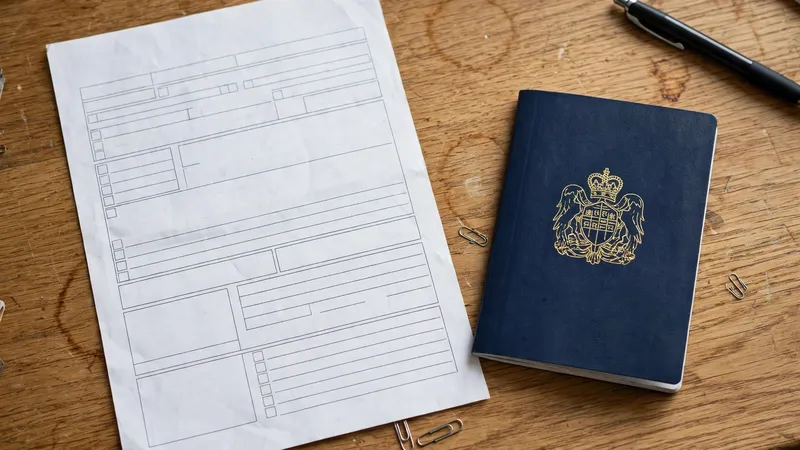
Go to the centre at your slot time. Carry your Aadhaar card (or just your Aadhaar number) and the phone with the new SIM — the number must be active. At the counter, tell the operator you want to register or update the mobile number in your Aadhaar. The operator will fill in the update form for you with the new number.
You will then be asked for biometric verification — usually your fingerprints, and sometimes an iris scan. This is how UIDAI confirms it is really you, and it is why the update cannot be done from a website. No document and no old mobile number are needed for a mobile-number update alone. When it is done, the operator will give you an acknowledgement receipt — keep it safe, because it carries your Update Request Number (URN).
Track the update with your URN
The update does not show up at once — it takes some days to process, so do not expect the new number to work the same evening. After a few days, open the myAadhaar portal and use the option to check your update status. Enter the URN from your receipt (and your Aadhaar number if it asks) and submit.
The status page will show whether your update is still in progress or done. Once it shows done, OTPs for Aadhaar services will start coming to the new number. That also unblocks other OTP steps — for example, you can then link PAN with Aadhaar, which sends its OTP to this same number. If the status shows rejected, read the reason on the screen and visit the centre again with the receipt. If you need help, call the UIDAI helpline on 1947.
Tips
- One mobile number can be linked with up to nine Aadhaar numbers, so family members can share a phone — but use a number you yourself control, because all OTPs will go to it.
- Keep the acknowledgement receipt and its URN safe until the update shows as done — it is the only way to track your request.
- Book your appointment online first: booking is free, so never pay anyone who offers to book a slot for you.
Keep in mind
- A mobile number update is not possible through the myAadhaar website. Any website or person promising fully online linking is a scam — do not pay them or share your details.
- Never share your Aadhaar number or any OTP with anyone on a call or message. No real UIDAI official asks for them this way.
- No document and no old mobile number are needed for this update at the centre — do not hand over extra documents to anyone for it.
- A prescribed charge applies for the update at the centre. Check the current amount on UIDAI's official charges list or at the centre itself, and always take a receipt — the amount can change, so do not trust a fee quoted by an agent.
FAQs
Can I link my mobile number with Aadhaar fully online?
Not for the first time. The myAadhaar website does not allow a mobile number update at all. The official Aadhaar app can update a mobile number only when a number is already registered with your Aadhaar — it checks the new number with an OTP and face authentication. If no number was ever registered, or you have lost the old number, you must visit an Aadhaar Seva Kendra or enrolment centre.
I lost my old number. Can I still update to a new one?
Yes. Visit any Aadhaar Enrolment Centre and ask for a mobile number update. UIDAI says no document and no old mobile number are needed for this — your identity is confirmed with your fingerprints or iris scan at the centre instead. You will get an acknowledgement receipt with a URN to track the update.
How do I know the new number is linked?
Check the update status on the myAadhaar portal with the URN from your receipt — it will show whether the update is done. You can also use the portal's option to verify your email or mobile number. Once it is done, OTPs from Aadhaar services will start arriving on the new number.
What if the update is taking very long or shows rejected?
First check the status with your URN on the myAadhaar portal, and give it a few more days — updates take time to process. If it shows rejected, read the reason on the status page, then visit the centre again with your receipt and ask the operator to check it. You can also call the UIDAI helpline on 1947 for help.