How to Correct Name or Date of Birth in Aadhaar or PAN
Published: November 14, 2026
Source: UIDAI and Income Tax Department — official guidance
Fix a wrong name or date of birth on your Aadhaar or PAN — what proof you need, where to apply, and how to check it worked.

Before you start
- Keep your Aadhaar card, your PAN card and the proof of the correct detail next to you — a birth certificate, passport or school certificate for date of birth, and a passport, PAN card or gazette notification for a name.
- Know the limits before you apply: UIDAI allows a name to be updated only twice in a lifetime, and a date of birth only once — so decide the final correct value first.
- Keep the mobile number linked to your Aadhaar nearby — OTPs for Aadhaar services come on that number.
Find the mistake and get the right proof
First, find out which card is wrong. Put your Aadhaar card, your PAN card and your birth proof side by side — a birth certificate, a passport or a school marksheet for the date of birth. Compare the name spelling and the date of birth on each one, letter by letter and digit by digit, and note exactly which card has the mistake.
Then gather the proof for the correct value. For a small spelling fix in Aadhaar, a document that already shows the right spelling — like a passport, PAN card or voter ID — is usually accepted. For a full legal name change, the usual proof is a gazette notification (or a marriage certificate after marriage). For a date of birth, use a birth certificate, a passport or a school certificate. A weak or mismatched document is the most common reason a correction gets rejected, so check your proof twice before you apply.
Correct Aadhaar at an enrolment centre
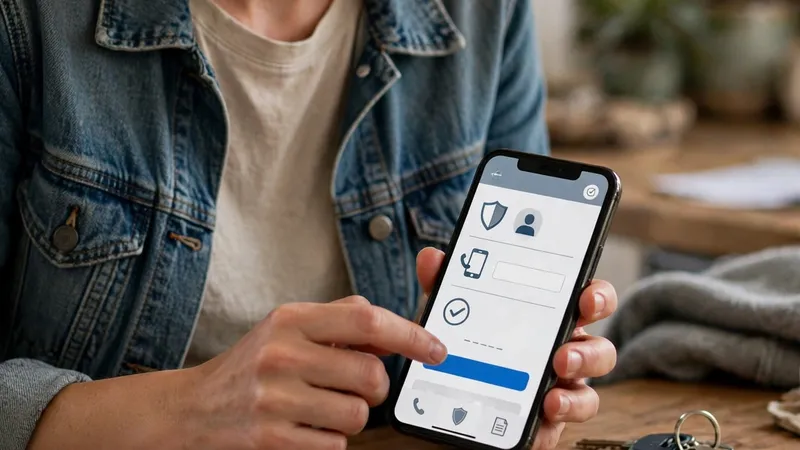
Take your Aadhaar card and the original proof document to your nearest Aadhaar Enrolment Centre or Aadhaar Seva Kendra. Tell the operator which detail you want corrected — name or date of birth — and show the proof. The operator will fill in the update form with the corrected value and take your fingerprints for verification.
When it is done, you will get an acknowledgement receipt with an Update Request Number (URN) — keep it safe. Some updates can also be requested on the myAadhaar portal, so check there what your particular update offers, but the centre visit works for every name and date-of-birth correction. Remember the lifetime limits: a name can be updated twice and a date of birth only once, so this is not a step to rush.
Correct PAN through Protean or UTIITSL
Open the official Protean portal (tinpan.proteantech.in) or the UTIITSL portal (pan.utiitsl.com) — these are the two agencies the Income Tax Department authorises for PAN work, and you can use either one. Choose “Changes or Correction in existing PAN Data” and enter your existing 10-digit PAN, your name and your contact details to start the application.
On the form, tick the box next to ONLY the field you want to change — name or date of birth — and type the corrected value exactly as it appears on your proof. Upload the supporting proof for that change. The fastest paperless way is Aadhaar e-KYC, which uses an OTP on your Aadhaar-linked mobile; other modes (e-Sign or sending the form by post) are also offered. Pay the fee shown on the portal and save the acknowledgement number. Your PAN number itself stays the same — only the details against it change.
Match the two cards and check the linking
Wait for both corrections to finish, then compare the two cards again — the name spelling and the date of birth must match exactly on Aadhaar and PAN. Check the Aadhaar status with your URN on the myAadhaar portal, and the PAN status with the acknowledgement number on the portal where you applied.
Once both match, you can link PAN with Aadhaar, which needs the name, date of birth and gender to be the same on both cards. If a correction was rejected, read the reason shown on the status page — it usually means the proof did not support the new value — fix the proof and apply again instead of applying again and again with the same document.
Tips
- Fix Aadhaar first, then PAN, so both cards end up with the same correct spelling and date — that order saves you a second round of corrections.
- On the PAN form, tick only the fields you want to change. Unticked fields are left as they are — ticking an extra box by mistake can change something you wanted to keep.
- Keep both acknowledgement numbers (the Aadhaar URN and the PAN acknowledgement) in one place until both corrections show as done.
Keep in mind
- Your PAN number itself never changes in a correction — only the details stored against it. Anyone offering you a “new PAN” is running a scam.
- The fee for a PAN correction is shown on the Protean or UTIITSL portal itself — check it there before you pay, and never pay an agent site. The amount can change, so do not trust a fee quoted elsewhere.
- For a PAN date-of-birth correction, carry a birth certificate, passport or school certificate — Aadhaar alone may not be accepted as proof of date of birth.
- Aadhaar name and date-of-birth changes are limited for life (name twice, date of birth once). A careless correction uses up a chance you may need later — get the proof right the first time.
FAQs
What if I have already used up my name or date-of-birth change?
Name can be updated twice in a lifetime and date of birth once, under UIDAI's rules. If you have already used up your chance and still have a genuine error, there is an exception process through the UIDAI Regional Office — call the UIDAI helpline on 1947 and ask for exception processing, with your proof ready.
Can I correct my PAN without Aadhaar OTP?
Yes. The portals also offer e-Sign with scanned documents, or a physical form sent by post, instead of Aadhaar e-KYC. Aadhaar e-KYC is only the fastest paperless option — pick whichever mode suits you on the portal.
How long does a correction take?
It varies, so do not expect it the same day. Track the Aadhaar update with the URN from your receipt on the myAadhaar portal, and track the PAN correction with the acknowledgement number from the Protean or UTIITSL portal. If a request shows rejected, read the reason given, fix that proof or detail, and apply again.
PAN and Aadhaar still do not match after I corrected them. What now?
First re-check the spelling and the date on both cards, letter by letter — even one letter's difference blocks the linking. Also wait until both corrections show as done, because a correction that is still in progress does not count yet. Once both are done and match exactly, try the linking again.