How to Use UPI Offers and Cashback Without Getting Tricked
Published: November 12, 2026
Source: www.moneycontrol.com
UPI apps are full of cashback and offers, but every real offer has conditions — and scammers copy the same promises to steal your money. Here is how to use the real offers and ignore the traps.
Before you start
- Have your UPI app installed with your bank account linked and your UPI PIN set, so you are not setting things up while an offer timer runs.
- Know this first: you never need to enter a UPI PIN to receive money or to claim cashback. A PIN is only for paying — anyone asking for it to give you money is a scammer.
- Use only offers shown inside your own payment app. Offers that arrive by SMS, WhatsApp, or a random link are not to be trusted.
Find offers inside your own UPI app
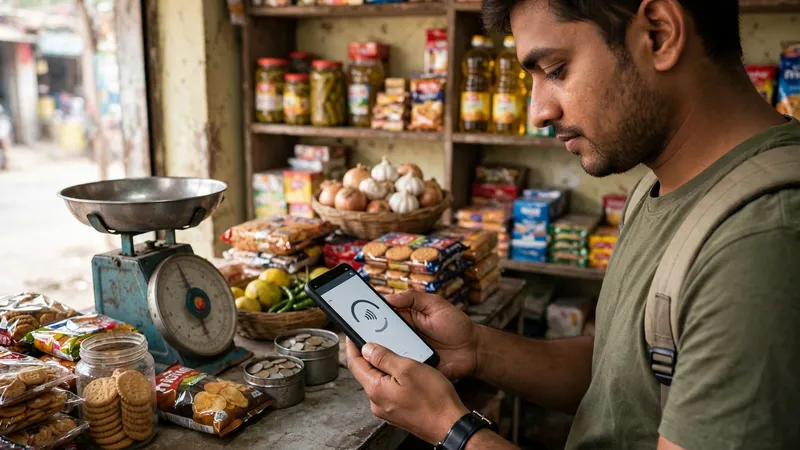
Open your own payment app — Google Pay, PhonePe, Paytm, or whichever UPI app you use — and look for its Offers or Rewards section on the home screen. This is the only place you should trust for offers. If you are new to UPI payments, first learn how to send money with UPI so you know what a normal payment screen looks like before you chase any offer.
Never trust an offer that reaches you by SMS, WhatsApp, or a random link, even if it uses a familiar brand name. Scammers copy real offer designs to steal your details. If a message claims you have won cashback, do not tap its link — open your payment app yourself and check whether that offer actually exists there.
Read the offer terms before you pay
Tap the offer to open its full terms before you pay. Every offer has conditions: a minimum spend, specific merchants, valid dates, and usually a one-time use. Some offers apply only to certain users or only when you pay by UPI rather than by wallet, so read the small print instead of trusting the headline.
Also check how the cashback is given — as a scratch card, as credit to your bank account, or as wallet credit or a voucher — and whether there is anything you must do after paying, like opening a scratch card in the Rewards section. If the terms are unclear or the offer sounds too good to be true, skip it.
Pay on the official checkout and check the screen
When you pay, complete the payment only on the shopping app or website's official checkout page. Do not pay to a separate UPI ID or through an outside payment link just because someone promises an extra discount for it — that bypasses the platform's safety checks.
On the UPI payment screen, check the merchant's name and the amount carefully before you confirm. Enter your UPI PIN only to authorise a payment you are making. Remember: you never enter a PIN to receive money, so any screen or person asking for your PIN to give you cashback is a fraud attempt — stop and cancel.
Claim and track the cashback in the app
After paying, go back to the Offers or Rewards section of your payment app to see your cashback. If it is a scratch card, open it there. If it goes to your bank account or wallet, check the Rewards or transaction history in the app to confirm it arrived.
If the cashback is missing, first re-read the offer's terms — you may have missed a condition like the minimum spend or the last valid date. If the terms were met and it is still missing, raise it through your payment app's Help section with the transaction details ready. Never share your OTP or PIN with anyone who contacts you promising to release the cashback.
Tips
- Compare the final price you actually pay, not the cashback headline — a big cashback on an overpriced item is not a saving.
- Take a screenshot of the offer terms before you pay, so you can check them later if the cashback does not arrive.
- Use one offer at a time and note which offers you have already used, since most offers work only once per user.
Keep in mind
- A genuine offer never asks for your OTP, UPI PIN, or bank details, and never asks you to pay a fee to claim a reward. Any such ask is a scam.
- Never trust an offer that arrives by SMS, WhatsApp, or an unknown link. Check the offer inside your own payment app instead.
- You never need to enter a UPI PIN to receive money. A PIN is only for paying — anyone asking for it to give you cashback is trying to take your money.
- Scammers create urgency with lines like offer expiring now or account will be blocked. Pause, check the offer in the official app, and act only after verifying — this is NPCI's Stop, Think, Act advice.
FAQs
Why did I not get the cashback I expected?
Usually because one of the offer's conditions was not met — the payment was below the minimum spend, the merchant was not eligible, the offer had expired, or it had already been used once. Open the offer in your app and read its terms to see which condition applied, then check the same terms before your next payment.
Is cashback paid to my bank account or as a scratch card?
It depends on the app and the offer. Some cashback comes as a scratch card you must open in the Rewards section, some goes straight to your bank account, and some comes as wallet credit or a voucher. The offer's terms in your app will say which form it takes and where to find it.
Someone says I must pay a small fee to unlock my cashback. Is that real?
It is a scam. Genuine offers never ask you to pay a fee, share an OTP, or enter your UPI PIN to unlock cashback. Do not pay, do not share any code, and report the message in your payment app or to your bank if it came with a payment link.
Can I use two UPI offers on the same payment?
Usually not. Most offers cannot be combined — the app applies one offer per payment, and the terms will say so. Compare the final amount you pay after each offer instead of adding the cashback amounts together in your head.
Sources
- https://www.moneycontrol.com/banking/npci-issues-5-safety-tips-for-users-to-protect-digital-payments-during-festive-season-article-14070872.html/amp
- https://www.business-standard.com/amp/finance/personal-finance/lucrative-diwali-discount-could-be-a-scam-5-ways-fraudsters-can-cheat-you-126110600865_1.html
- https://planepockets.com/blog/upi-cashback-offers-flight-hotel/