Android's November 2026 Update Adds a Family Hub, Quick Share Photo Backup to Windows and a Play Protect Reminder
Published: November 11, 2026
Google's November 2026 system updates bring a Family Hub in Android Settings, automatic photo and video backup from Android to Windows over Quick Share, smarter password import choices and a Play Protect reminder — rolling out in stages, so not every phone gets them at once.
Key Points
— the whole story in 10 seconds- 1Two batches in November — Google Play services v26.43 and Play Store v53.9 arrived on 2 November, followed by Play services v26.44 and Play Store v54.0 on 9 November.
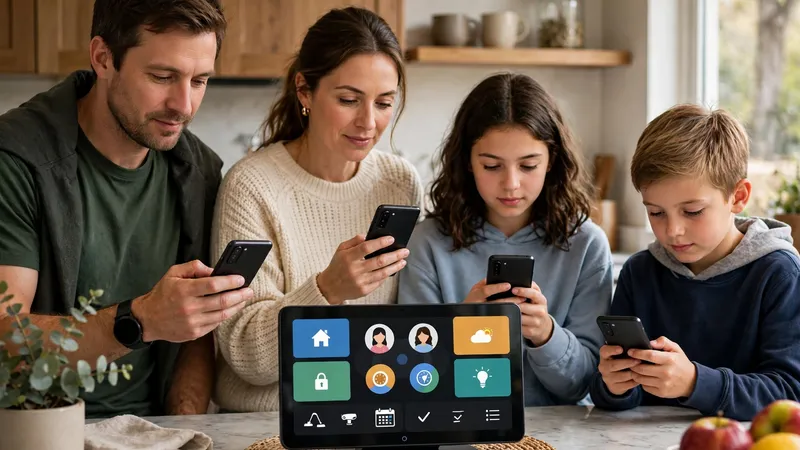
- 2New Family Hub in Settings — a dedicated space for family management tools inside Android Settings, bringing the family controls that were previously scattered around the phone into one place.
- 3Quick Share backs up photos to Windows — Android phones can now automatically back up photos and videos to a Windows PC using Quick Share, without a cable and without opening a separate backup app.
- 4Smaller useful touches — Google Password Manager now lets you manually choose which credentials to keep when imports conflict, and the Play Store will remind you if Play Protect is still off.
Important Dates
Google has published its November 2026 system updates for Android, and this month's release brings a few features you will actually notice. The updates arrive in two batches — Google Play services v26.43 and Play Store v53.9 on 2 November, followed by Play services v26.44 and Play Store v54.0 on 9 November — according to Google's own System Release Notes and 9to5Google's summary of the changelog.
The most visible change in the first batch is a new Android Family Hub. Google describes it as a dedicated space for family management tools inside Android Settings, bringing the family controls that were previously scattered around the phone into one place. It sits alongside the other November additions rather than arriving as part of a full Android version update, because these Google System updates reach phones through Play services and the Play Store instead of through the usual operating-system release.
The second headline feature is for anyone who takes photos on their phone and uses a Windows computer. Google says Android phones can now automatically back up photos and videos to a Windows PC using Quick Share, so your pictures can move to your computer without a cable and without opening a separate backup app. Google Password Manager also gets a practical improvement: when you import passwords and passkeys and some of them conflict with what is already saved, you can now manually choose which credentials to keep.
The Play Store update in the same batch adds two smaller but useful touches. If you turn off Play Protect, Google's built-in scanner for installed apps, the Play Store will now remind you after a while that it is still off. Game detail pages also get at-a-glance highlights, so you can quickly see gameplay style, review summaries and community activity before you install a game.
The second batch, dated 9 November, is quieter for most users but adds two new things to Google Wallet on phones: Traveler QR, a QR-code option for travellers, and support for adding Matter Aliro-compatible keys for a single-family home to Wallet through Google Home. For developers, there is a new API that lets an app ask for the age range of the person using the device, and the Play Store v54.0 update adds AI suggestion chips on event pages and Play Points promotions for new subscriptions for select users.
One warning applies to every line of the changelog. Google and 9to5Google both note that a feature appearing in the notes does not mean it is on your phone yet: these updates roll out in stages, and some capabilities take weeks or months to reach everyone. If Family Hub or Quick Share backup has not appeared on your device, it is most likely still on its way. To check your own phone, look under Settings, and if storage is the problem rather than features, our guide explains how to free up storage on Android step by step.
What to Do Next
— 4 steps to do right now- Look under Settings for Family Hub — to check your own phone, look under Settings for the new dedicated family management space.
- Use Quick Share to back up photos to your Windows PC — your pictures can move to your computer without a cable and without opening a separate backup app.
- When importing passwords, pick which ones to keep — if imported passwords and passkeys conflict with what is already saved, you can now manually choose which credentials to keep.
- If a feature has not appeared yet, wait — these updates roll out in stages, and some capabilities take weeks or months to reach everyone.
FAQ — Frequently Asked Questions
Tap a question to see the answer.
Q Is this a full Android version update? ▾
No — these Google System updates reach phones through Play services and the Play Store instead of through the usual operating-system release.
Q Why hasn't Family Hub or Quick Share backup appeared on my phone? ▾
A feature appearing in the notes does not mean it is on your phone yet — these updates roll out in stages, and some capabilities take weeks or months to reach everyone, so if it has not appeared, it is most likely still on its way.
Q What is Traveler QR in Google Wallet? ▾
It is a QR-code option for travellers, added to Google Wallet on phones in the 9 November batch, alongside support for adding Matter Aliro-compatible keys for a single-family home to Wallet through Google Home.