WhatsApp Events Can Now Invite People Who Do Not Use WhatsApp
Published: November 11, 2026
Meta has announced that WhatsApp event invites can now reach people without a WhatsApp account, who can view the details and RSVP from a link. A new Events Home in Settings brings all your events into one place.
Key Points
— the whole story in 10 seconds- 1Invites now reach non-WhatsApp users — Meta announced on 5 November 2026 that an event invite can reach everyone, even friends who do not have a WhatsApp account.
- 2Guests reply from a link, no app needed — guests who get the shared link can see the details and reply — Going, Maybe or Not going — without downloading the app or creating an account.
- 3New Events Home in Settings — a single place to create and send customised invites, manage replies, set custom reminders and let guests bring a plus one, found under Settings, then Events.
- 4Privacy built in — your phone number is not shown to guests you do not know, and guests without WhatsApp see the exact address only after they reply; personal messages and calls stay end-to-end encrypted.
Important Dates
WhatsApp has opened up its Events feature to people who do not use WhatsApp at all. Meta announced the update on 5 November 2026, saying that an event invite can now reach everyone, even friends who do not have a WhatsApp account. Guests who receive a shared invite link can see the event details and reply without downloading the app or creating an account.
Until now, a WhatsApp event only reached people who were already in the chat. That left organisers chasing the one friend, relative or colleague who is not on WhatsApp with a separate message or a different app. The new invite link closes that gap: the organiser creates an event, adds a cover photo and shares the link, and anyone who opens it can view the details and respond. As reported by People Daily, guests reply with one of three responses — Going, Maybe or Not going — and people who confirm or say they might attend are notified when the event begins.
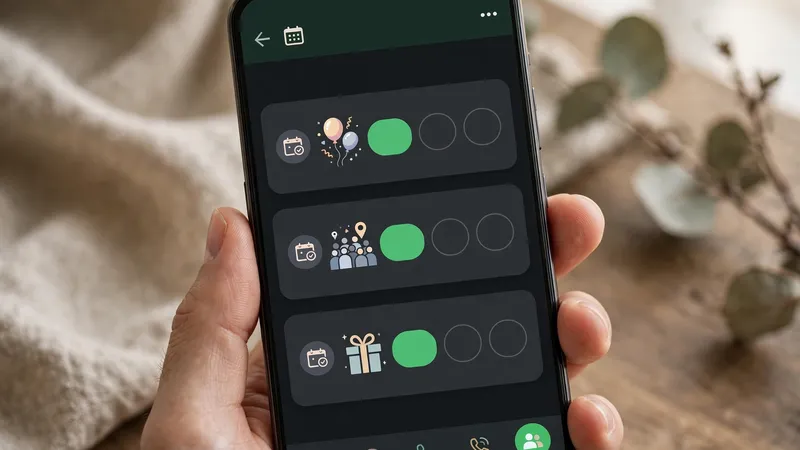
The update also adds a new Events Home, a single place to manage everything about your events. Meta says Events Home is where you create and send customised invites and manage replies, with custom reminders and the option to let guests bring a plus one. You can find it by going to Settings and selecting Events, where Meta says you will see a complete list of past and upcoming events, including the ones you created and the ones you were invited to.
Meta says the new invites were built with privacy in mind, which matters now that invitations can travel outside WhatsApp. Your phone number is not shown to guests you do not know, and guests without a WhatsApp account will only see the exact event address after they reply to the invitation. Meta also says the change does not affect the privacy of personal conversations, adding that personal messages and calls remain end-to-end encrypted.
The updated Events experience is rolling out to everyone over the following weeks, according to Meta, so it may not have reached your phone yet. There is no single date for the full rollout, and availability may vary as it spreads. If you do not see Events Home in Settings yet, the feature simply has not reached your account, and updating WhatsApp from your app store is the only step you can take.
For anyone planning a birthday, a family get-together or a holiday meetup, the change removes one of the most annoying parts of organising: keeping track of who was invited where. One link now covers the whole guest list, whether or not everyone uses the same app. If you use WhatsApp every day, our guide explains how to recover deleted WhatsApp messages if you ever lose an important chat.
What to Do Next
— 4 steps to do right now- Update WhatsApp from your app store — if Events Home has not reached you yet, updating is the only step you can take.
- Open Settings, then Events — Events Home is where you will see a complete list of past and upcoming events.
- Create the event, add a cover photo and share the link — anyone who opens the link can view the details and respond, whether or not they use WhatsApp.
- Ask guests to reply Going, Maybe or Not going — people who confirm or say they might attend are notified when the event begins.
FAQ — Frequently Asked Questions
Tap a question to see the answer.
Q Can someone without WhatsApp reply to my event invite? ▾
Yes — guests who receive the shared invite link can see the event details and reply without downloading the app or creating an account.
Q Will guests I don't know see my phone number? ▾
No — your phone number is not shown to guests you do not know, and guests without a WhatsApp account will only see the exact event address after they reply to the invitation.
Q Why can't I see Events Home in Settings yet? ▾
The updated Events experience is rolling out to everyone over the following weeks, with no single date for the full rollout — if you do not see it yet, the feature simply has not reached your account.