WhatsApp Is Testing a Location Button for Status: Share Where You Are Without a Photo
Published: November 15, 2026
WhatsApp is testing a native Location option for Status on Android, spotted in beta version 2.26.45.8. It lets you share a place as a map card with a green pin, place name and full address, without first picking a photo or video.
Key Points
— the whole story in 10 seconds- 1A new Location option in the status composer — WhatsApp is testing a dedicated Location option in the Updates tab, spotted by WABetaInfo in beta for Android version 2.26.45.8. You will be able to post a location as a status without first selecting a photo or video.
- 2Shown as a map card, not a sticker — The location appears as a map card with a green pin, the place name and the full address. Viewers can tap a button at the top to expand the map for a closer look.
- 3Approximate location is supported — You can share an approximate location from your device settings instead of your precise position, and you can also type a different place manually.
- 4Still under development — The feature is not available to beta testers yet, and WhatsApp has not announced a release date. It will arrive in a future update.
WhatsApp is working on a new way to share your location through Status. Spotted by feature tracker WABetaInfo in WhatsApp beta for Android version 2.26.45.8, the feature adds a dedicated Location option to the status composer, so you will soon be able to post where you are without first picking a photo or video.
Right now, sharing your location as a status takes a few extra steps. You have to select a photo or video from your gallery and then add a location sticker over it, and the person viewing your status has to tap the sticker to see more details about the place. The new option removes that whole workaround. Once it is ready, you will open the bottom sheet in the Updates tab, tap the new Location option, and WhatsApp will show your current position automatically after you allow it to access your location. You then confirm, and the location goes out as your status.
Privacy is built into the flow. If you do not want to share your exact position, you can share an approximate location from your device settings instead. You can also type a different place manually rather than sharing where you currently are, so the status does not have to reveal your real-time whereabouts.
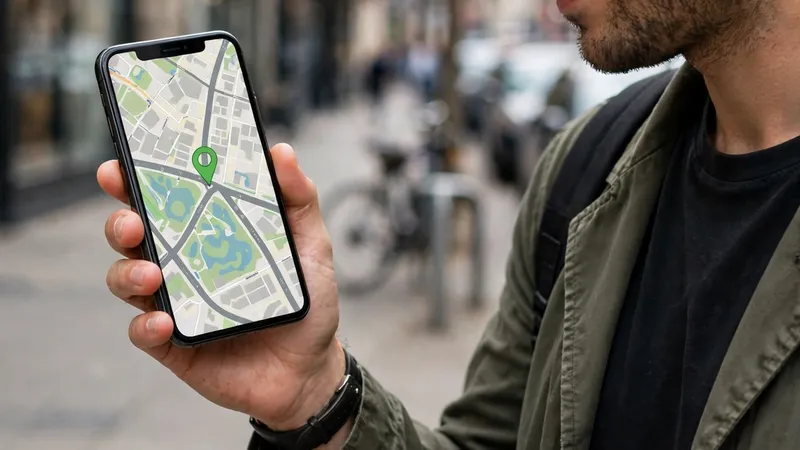
The location will not appear as a sticker on a photo. Instead, WhatsApp will show it as a map card in the status interface, with a small map, a green pin on the selected location, the place name and the full address. Anyone viewing your status can tap the button at the top of the screen to expand the map and take a closer look, which makes the place much easier to read than a sticker on a photo.
There is one thing to keep in mind: the feature is still under development. WABetaInfo found it in the code of the beta version, but it has not been switched on for beta testers yet, and WhatsApp has not announced when it will reach the public. So you will not find the Location option in your app today, but it is clearly on the way in a future update.
What to Do Next
— 4 steps to do right now- Do not look for the button yet — The Location option is still under development and has not reached beta testers, so it will not appear in your WhatsApp today. Wait for a future app update.
- Check your location permission when it arrives — When the feature rolls out, WhatsApp will need location access to show your current position. You can allow precise location or choose approximate location from your device settings.
- Confirm before you share — WhatsApp shows your current position automatically, but the status is only posted after you confirm it. Check the place name and address on the map card before you tap to share.
- Share a different place if you prefer — You can type another location manually instead of your current one, so you can share a restaurant, a park or a meeting spot without revealing where you are right now.
FAQ — Frequently Asked Questions
Tap a question to see the answer.
Q Can I use the Location status option now? ▾
No. WABetaInfo found the feature in the code of WhatsApp beta for Android version 2.26.45.8, but it is still under development and has not been switched on for beta testers. WhatsApp has not announced a release date.
Q How is this different from sharing a location in a status today? ▾
Currently you have to select a photo or video from your gallery and add a location sticker over it, and viewers must tap the sticker for details. The new option lets you post a location on its own, shown as a map card with a green pin, the place name and the full address.
Q Do I have to share my exact location? ▾
Yes. WhatsApp needs location access to suggest your current position, but you can share an approximate location from your device settings if you do not want to share your precise position. You can also type a different location manually.